Modernizing an office goes far beyond updating furniture, improving lighting, or redesigning meeting rooms. In a business environment where collaboration, flexibility, and connectivity are essential, technology has become one of the key elements in creating more efficient workspaces.
Modern offices need technology solutions that make communication easier, simplify meetings, and enable teams to collaborate naturally, regardless of where they are located.
In this context, interactive displays, digital collaboration tools, and video conferencing systems play a fundamental role in transforming corporate workspaces.
But how can businesses modernize their offices with interactive technology? What advantages do professional touchscreens offer over traditional presentation systems? And what factors should companies consider when creating a truly smart meeting room?
In this article, we explore how interactive technology is transforming modern offices and how solutions such as Newline Elara Elite can help organizations create more connected, collaborative work environments that are ready to meet evolving business needs.
What Is Modern Office Technology?
Modern office technology includes the devices, systems, and digital tools designed to improve communication, collaboration, and workspace management.
Its purpose is not simply to introduce new equipment, but to create an integrated, intuitive, and easy-to-use technology environment where professionals can focus on their work rather than spend valuable time troubleshooting technical issues.
Some of the key technologies driving this transformation include:
- Professional interactive displays: Enable teams to present content, make annotations, and collaborate on documents and projects.
- Video conferencing systems: Connect employees, customers, and business partners across different locations.
- Cloud-based collaboration tools: Make it easier to access and share documents and corporate resources.
- Wireless connectivity solutions: Allow users to share content from laptops and other compatible devices.
- Device management and security systems: Help IT teams manage equipment, control access, and protect business information.
Combining these technologies allows companies to move beyond traditional office environments and create smart workspaces designed around the real needs of their organizations.
Interactive Displays: The Collaboration Hub of Modern Offices
For years, business meetings have relied on projectors, conventional displays, and laptops connected through multiple cables and adapters.
While these systems allow users to present information, their capabilities are limited when participants need to interact directly with the content.
Professional interactive displays represent a significant evolution in this approach.
Thanks to touchscreen technology, teams can move from passively viewing content to actively working with it.
What Can You Do with an Interactive Display in an Office?
An interactive display supports a wide range of professional activities.
More engaging presentations
Participants can display documents, charts, business proposals, and presentations clearly while adding annotations during discussions.
Brainstorming sessions
Teams can use digital whiteboards to capture ideas, sketch concepts, organize information, and develop proposals collaboratively.
Collaborative document reviews
During meetings, participants can highlight elements of a project, discuss charts, or make visual annotations to support decision-making.
Corporate training
Interactive displays also make training sessions more engaging by combining multimedia content, visual explanations, and interactive activities.
Customer and partner meetings
The ability to interact directly with content creates more engaging presentations and helps communicate complex proposals more effectively.
In this way, an interactive display becomes much more than a presentation screen. It becomes a central tool for workplace collaboration.
Newline Elara Elite: Interactive Technology for Corporate Workspaces
Choosing the right interactive display is one of the most important decisions when modernizing a meeting room.
In this area, Newline Elara Elite offers a solution designed for professional environments that require performance, connectivity, ease of use, and advanced collaboration capabilities.
This interactive display combines high-performance hardware, a modern operating system, and tools designed to support teamwork.
Android 16 and Google EDLA Certification
Newline Elara Elite features Android 16 and official Google EDLA (Enterprise Devices Licensing Agreement) certification.
This combination provides access to the Google app ecosystem, including Google Play, and enables users to work with compatible digital tools directly on the display.
For businesses using services such as Google Workspace, this integration can simplify access to documents, presentations, and other cloud-based resources.
The Android operating system also allows the display to function independently for certain tasks, without requiring a permanently connected external computer.
USB-C Connectivity: Fewer Cables, Simpler Meetings
One of the most common challenges in traditional meeting rooms is the need for multiple connections.
Users often have to find adapters, connect different cables, or manually configure video output before starting a presentation.
Newline Elara Elite simplifies this process with a front-facing USB-C port supporting Power Delivery up to 100 W.
With a single cable and a compatible laptop, this connection enables users to:
- Transmit video in 4K resolution.
- Use the display’s touchscreen functionality to interact with the connected laptop.
- Access the network through a compatible connection.
- Charge the laptop with up to 100 W of power.
This functionality can reduce technical complexity and make it easier for professionals to start meetings quickly.
NFC Authentication and User Profiles
In modern offices, the same meeting room may be used by different departments and employees throughout the day.
For this reason, it is important to have mechanisms that simplify access to personalized environments without compromising security.
Newline Elara Elite incorporates NFC technology for contactless authentication and supports user profiles.
When properly configured, these features allow organizations to tailor the user experience and simplify access to individual settings.
These capabilities are particularly valuable in shared corporate environments, where ease of use must go hand in hand with appropriate data protection policies.
Hybrid Meetings: Connecting Teams Wherever They Work
Hybrid working has transformed how businesses organize meetings.
Today, it is common for some participants to be physically present in the office while others join from home, another company location, or during business travel.
This creates an important challenge: ensuring that everyone can communicate and collaborate effectively, regardless of their location.
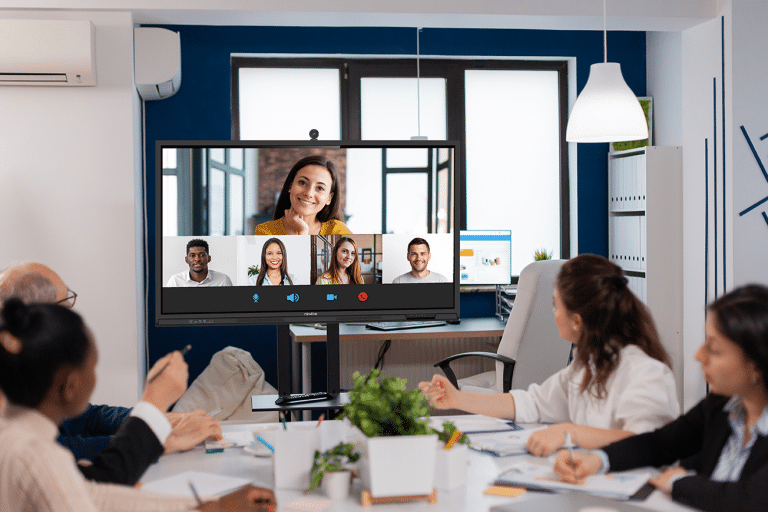
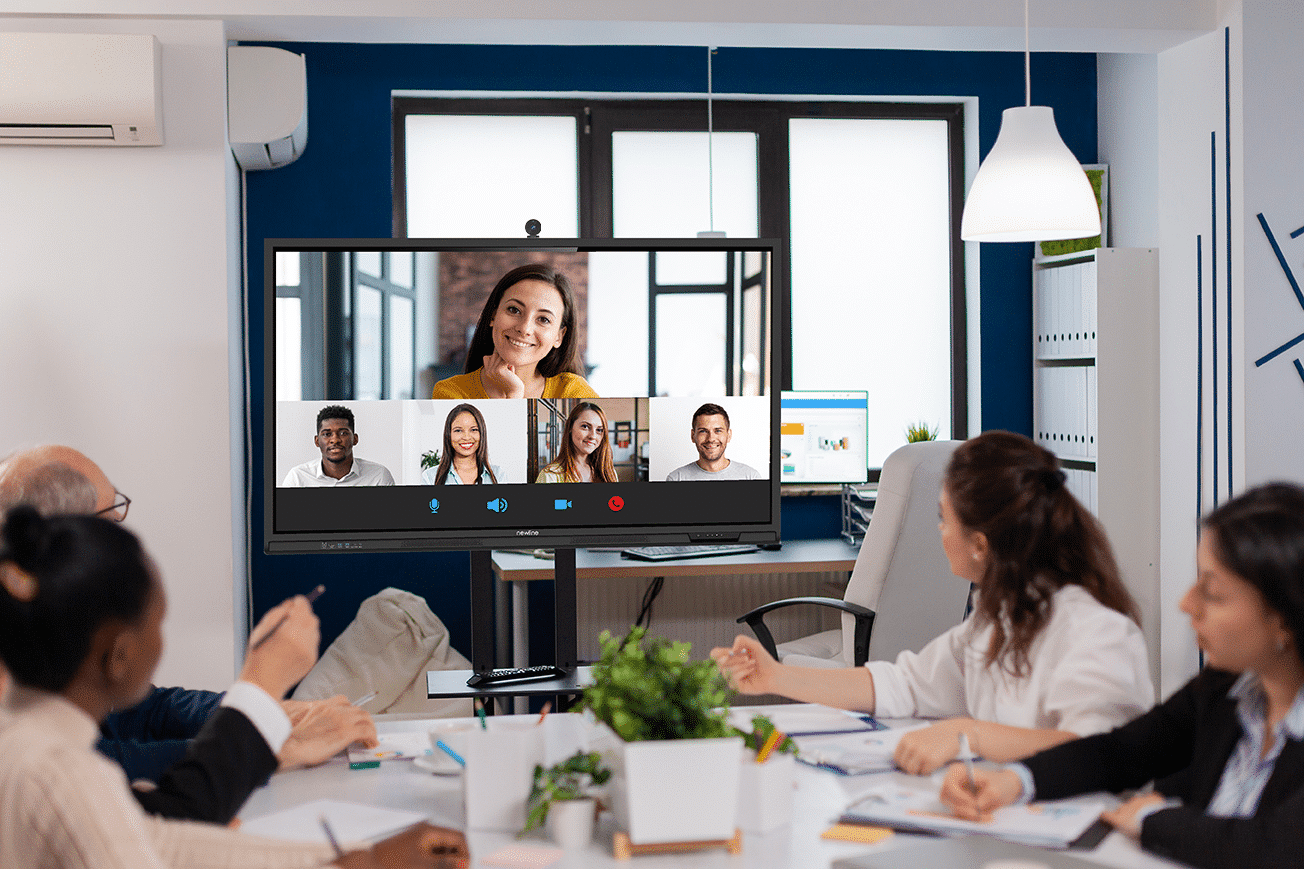
A hybrid meeting room needs much more than a large display.
It must provide a consistent audiovisual experience, enable easy content sharing, and encourage participation from remote attendees.
Essential Elements of a Hybrid Meeting Room
A large-format display
Allows participants to see remote attendees, share documents, and display presentations clearly.
An appropriate audio system
Speakers and microphones should provide suitable voice capture and reproduction based on the room’s size and acoustic characteristics.
A video conferencing camera
The camera should be selected according to the number of participants, room layout, and framing requirements.
Reliable connectivity
A stable corporate network is essential for smooth communication and content sharing.
Collaboration tools
Video conferencing platforms and shared work applications should allow both in-room and remote participants to access the information they need.
The Role of Newline in Hybrid Meetings
Newline Elara Elite features a 75 W audio system consisting of two 25 W front-facing speakers and a 25 W subwoofer.
It also incorporates an eight-microphone array designed to support voice capture during meetings.
Compatible cameras can also be integrated to complete the audiovisual setup according to the requirements of each environment.
Combining an interactive display, audio system, voice capture, and collaboration tools makes it possible to design spaces suitable for both in-person and hybrid meetings.
However, it is important to verify compatibility between devices and applications and to test the complete solution under real meeting room conditions.
Smart Offices: Flexible Spaces for Different Ways of Working
Not every meeting has the same requirements.
A quick coordination session involving three colleagues needs a different setup from a sales presentation, creative workshop, or international meeting with numerous participants.
That is why office technology modernization should begin by understanding how each space is actually used.
Small Meeting Rooms
In spaces designed for quick meetings or discussions between smaller teams, interactive displays make it easy to share information and work directly with documents.
Simple laptop connectivity and the ability to start presentations quickly are particularly valuable in these environments.
Boardrooms and Executive Meeting Rooms
These spaces typically require larger displays, high image quality, and audiovisual solutions that support communication with external participants.
Interactive displays can bring executive presentations, video conferences, and document reviews together in a single environment.
Creative and Innovation Spaces
Marketing, design, product development, and project management teams need tools that encourage idea generation and organization.
Digital whiteboards and interactive annotation can help transform traditional meetings into more participatory and productive working sessions.
Corporate Training Rooms
Internal training is another area that can benefit significantly from interactive technology.
Touchscreen displays allow trainers to combine explanations, multimedia content, exercises, and direct audience participation.
Thanks to their versatility, these devices can support both training activities and professional meetings, helping organizations make better use of their available spaces.
Security and IT Management: Essential Considerations for Office Modernization
Introducing new technology into a business should always involve the IT department.
Connectivity, user management, and access to corporate applications require policies that ensure devices are used appropriately.
Key aspects to evaluate include:
- User profiles and permission settings.
- Authentication mechanisms.
- Installed application management.
- Software and security update availability.
- Integration with the corporate network infrastructure.
- Procedures for signing out and removing temporary information.
Interactive displays running Android with Google EDLA certification offer features that can contribute to a connected and secure user experience.
However, their deployment should be supported by proper configuration and the organization’s established security policies.
In offices where devices are shared by multiple users, it is also advisable to define procedures to prevent documents, accounts, or confidential information from remaining accessible after meetings.
How to Modernize an Office with Interactive Technology: 5 Steps
Transforming a workplace through technology should not begin with purchasing new devices. It should start with understanding the organization’s needs.
1. Analyze Collaboration Needs
Before selecting equipment, identify how employees work.
Are meetings mainly held in person? Do remote participants regularly join? Do teams need to annotate documents or collaborate on shared content?
Answering these questions helps determine which features should be prioritized.
2. Choose the Right Interactive Display
The screen size should match the meeting room dimensions, viewing distance, and typical number of participants.
It is also important to consider resolution, connectivity, touch accuracy, and integration with the applications used by the business.
3. Design a Complete Audiovisual Solution
The display is a central component, but it should not be considered in isolation.
Camera placement, audio capture, room acoustics, and network connectivity can all have a direct impact on meeting quality.
4. Integrate Technology with Corporate Systems
The solution should align with IT requirements and the digital platforms already used by the organization.
This includes reviewing access permissions, security policies, and device compatibility.
5. Train Users and Measure Results
Technology adoption largely depends on how easily employees can use the new systems.
For this reason, installation should be accompanied by practical training and ongoing evaluation.
A pilot project in a single meeting room can help identify opportunities for improvement before expanding the solution across the office.
Useful performance indicators include meeting setup time, the number of technical incidents, and user satisfaction.
What Benefits Does Interactive Technology Bring to Businesses?
Modernizing offices with interactive displays and collaboration tools can deliver several operational benefits.
Faster, more efficient meetings
Simplified connections and direct access to digital tools can reduce the time spent preparing meetings.
More engaging collaboration
Touchscreen functionality allows participants to interact directly with content instead of simply watching presentations.
Better support for hybrid working
Integrated video conferencing solutions make it easier for professionals in different locations to participate.
More versatile workspaces
The same room can be used for presentations, meetings, collaborative workshops, and training sessions.
A simpler technology experience
Integrating multiple functions into professional devices can reduce the need for several separate pieces of equipment.
However, the results depend on factors such as device selection, installation quality, user training, and integration with corporate tools.
Frequently Asked Questions About Modern Office Technology
What Technology Does a Modern Office Need?
A modern office needs solutions that support communication, collaboration, and access to information. Some of the most relevant technologies include interactive displays, video conferencing systems, cloud-based collaboration tools, and secure network connectivity.
What Is an Interactive Display Used for in Business?
An interactive display allows users to present content, write and draw on a digital whiteboard, make annotations, review documents, and collaborate during meetings. It can also be integrated into video conferencing rooms and corporate training environments.
What Is the Difference Between an Interactive Display and a Conventional TV?
The main difference is touchscreen interaction. While a conventional TV is primarily designed for viewing content, an interactive display allows users to work directly with information through writing, annotation, and digital tools. Professional interactive displays may also include operating systems, collaboration features, and dedicated business connectivity options.
What Is a Smart Meeting Room?
A smart meeting room is a space equipped with technology that supports communication and collaborative work. It may include interactive displays, cameras, audio systems, network connectivity, and integrated digital tools for in-person or hybrid meetings.
What Are the Benefits of an Interactive Display with Google EDLA?
Google EDLA certification enables officially licensed Google services on certified Android devices. On an interactive display, it provides access to the Google app ecosystem, including Google Play, and compatible tools used in professional environments. Its use should always comply with the organization’s security policies.
How Do You Choose the Right Interactive Display Size for a Meeting Room?
The ideal screen size depends on the room dimensions, viewing distance, number of participants, and type of content being displayed. Screen placement should also be considered to ensure everyone can comfortably read and interact with the information.
Do You Need to Connect a Computer to an Interactive Display?
Not always. Interactive displays with a built-in operating system can run certain applications and tools independently. However, they also allow external computers to be connected when specific software or a particular working environment is required.
The Future of Offices Is Interactive, Connected, and Collaborative
The evolution of working environments is driving a change in how corporate spaces are designed and equipped.
Businesses need offices that can adapt to different teams, collaboration styles, and working models.
In this environment, interactive displays play an important role in connecting technology with the everyday needs of professionals.
Solutions such as Newline Elara Elite, featuring Android 16, Google EDLA certification, USB-C connectivity with up to 100 W Power Delivery, NFC authentication, and integrated audiovisual capabilities, offer a practical approach to meeting room modernization.
Because modernizing an office does not simply mean introducing more advanced technology. It means creating spaces where people can communicate more effectively, share knowledge, and work more efficiently.
Discover how Newline’s interactive solutions can transform your company’s workspaces.
Explore Newline Elara Elite and find the solution that best meets your business needs.