In recent years, the conversation around the use of technology in education has taken a different turn. Following a period of rapid digitalisation, parents, teachers, education authorities and experts are now questioning the extent to which constant exposure to digital devices may affect pupils’ attention, concentration, social interaction and learning itself.
It is an important debate, and one we should not shy away from. The OECD has warned of the risks associated with excessive use of digital devices, particularly the distractions that can arise when pupils have constant access to their own connected devices. Its research into technology in education highlights a particularly important point: simply introducing technology into the classroom does not automatically improve learning outcomes. What really matters is how it is used, for what purpose and within which pedagogical framework. UNESCO reaches a similar conclusion: technology should support education and human interaction, not replace them. When used effectively, it can broaden teaching opportunities, offer different ways of presenting information, increase engagement and encourage collaboration among pupils.
This is precisely where an important distinction needs to be made, one that is often overlooked in the wider debate: not all screens are the same, nor are they used in the same way.
From Personal Devices to Shared Technology
A smartphone, a personal tablet and an interactive display at the front of a classroom may all have a digital screen, but their purpose, the way they are used and their potential impact on pupils are fundamentally different. A smartphone is a personal device. It is designed to stay with its user throughout the day, delivering notifications, providing access to social media, encouraging individual content consumption and enabling continuous interaction.
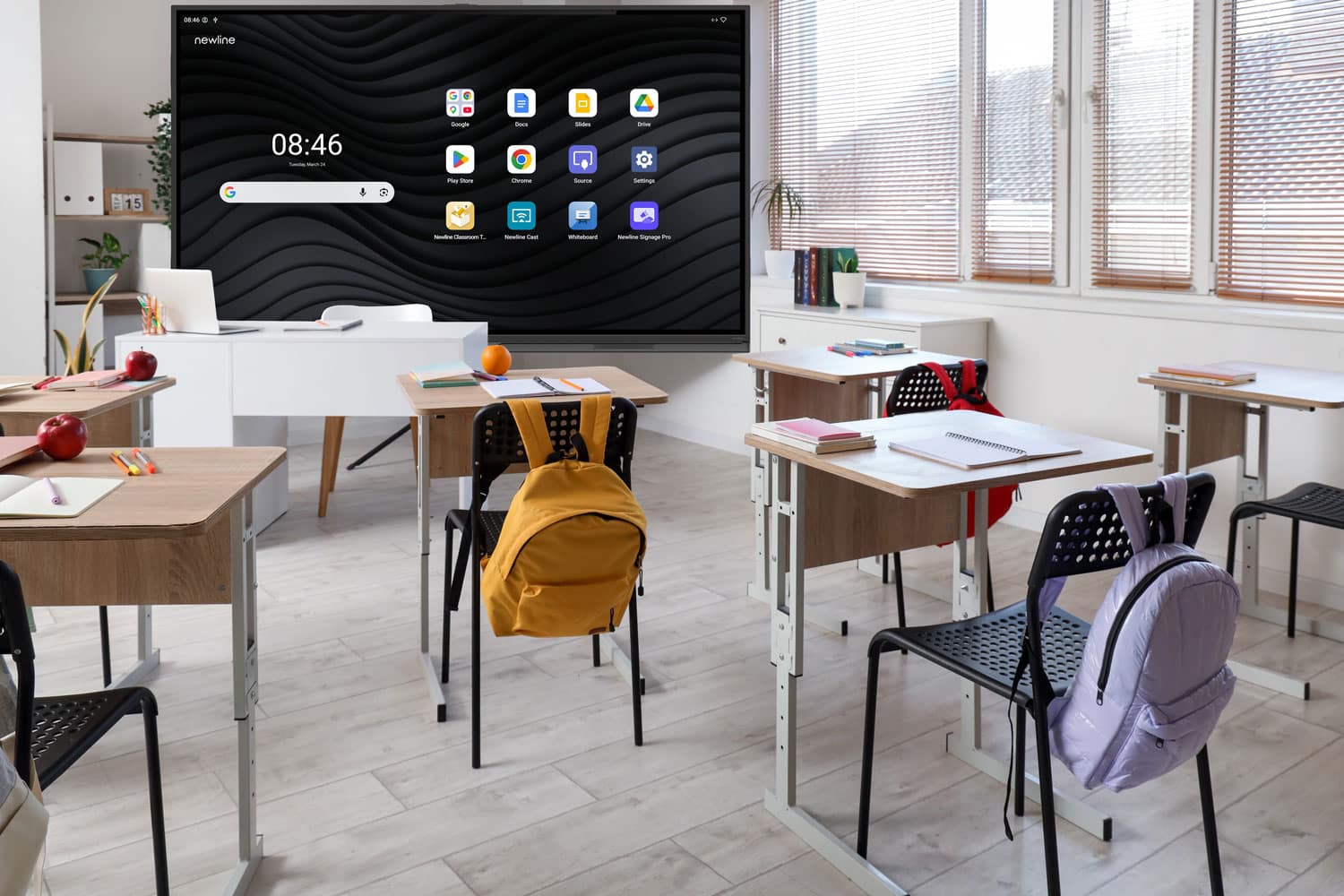
An interactive display designed for education works very differently. It is a shared learning tool, typically managed by the teacher and used as part of a specific educational activity. It does not follow pupils around throughout the day, it does not belong to individual learners, and it is not built around constant personal content consumption, notifications or endless scrolling.
That is why, when discussing the need to reduce unnecessary screen exposure among children, it is important not to automatically place every type of screen in the same category. An interactive display can replace or complement a traditional whiteboard, but its capabilities extend far beyond that. It allows teachers and pupils to display, write, explain, compare and manipulate content, play multimedia resources, bring together different sources of information, complete group activities and share work created by pupils themselves.
The display does not replace classroom interaction. It can become the very space around which that interaction takes place.
From Interactive Whiteboards to the Heart of Classroom Learning
Interactive classroom technology has evolved considerably in recent years. Early interactive whiteboards relied heavily on a computer and projector. They made it possible to bring digital content to the front of the classroom and add basic annotations, but the overall experience remained relatively passive. Today’s interactive displays have evolved into comprehensive educational platforms. Digital writing feels increasingly natural and precise. Content can be enlarged, moved and reorganised with ease. Videos, images, maps, three-dimensional models, documents, websites and educational applications can all be incorporated into a single lesson. Several students can interact with the display at the same time, while others contribute from their desks. Teachers can ask questions, modify visual representations in real time, compare different solutions or save the content developed during a lesson to revisit later.
The difference is significant: technology is no longer simply a way of presenting information. It becomes a tool for actively exploring and working with it. This evolution reflects one of the greatest challenges facing education today: moving beyond a model based primarily on receiving information towards one in which pupils also analyse, make connections, experiment, discuss and construct knowledge.
Learning by Seeing, Doing and Participating
We do not all learn in exactly the same way. A concept that may be difficult to grasp through text alone can often become clearer when supported by a visual representation, animation, video, simulation or practical activity. An interactive display brings these possibilities together without losing the shared, collaborative nature of the classroom.
A mathematics teacher can adjust a function and immediately demonstrate how its graph changes. In science, pupils can explore an enlarged cell structure or examine a three-dimensional model. In geography, a class can navigate a map, overlay information and analyse it together. In language lessons, teachers can combine written text, pronunciation, video and interactive exercises in a single activity. UNESCO highlights how different forms of visual representation and interaction can help increase pupil engagement, while also emphasising that their educational value depends on effective pedagogical integration. Technology, therefore, does not automatically turn a lesson into a good lesson.
A good teacher remains the most important element. The interactive display simply expands the range of tools available to them.
More Technology Does Not Necessarily Mean More Screen Time
This is particularly relevant in today’s educational climate. Introducing an interactive display into a classroom does not necessarily mean that every pupil will spend more time using a digital device. In fact, it can offer an alternative.
Rather than giving every pupil a tablet, laptop or smartphone for certain activities, digital content can be explored collectively through a single shared display. Pupils can watch and listen, but they can also stand up, write, discuss ideas with classmates, solve problems, answer questions verbally, work on paper or take part in group activities.
The display is used when it adds value and can be switched off when it no longer serves a useful purpose.This is where one of the most important differences from individual digital consumption becomes clear: an interactive display is not designed to keep pupils permanently connected or to encourage an ongoing, individual relationship with a device. It does not rely on the same patterns of notifications, social media feeds, constant rewards or personal browsing that can encourage compulsive use of certain devices and digital platforms. Its purpose is different: its use begins and ends with the learning activity.
The Teacher Remains in Control
There is another fundamental distinction. In classrooms dominated by personal devices, monitoring what every pupil is doing can be challenging. A classroom with thirty laptops can quickly become thirty entirely different digital experiences.
An interactive display brings the focus back to a shared learning environment. Everyone can engage with the same content. The teacher decides when to use the display, what to present, when to pause, when to ask a question and when to switch the screen off and continue the discussion without technology. This distinction matters. OECD research has found more favourable associations with learning when digital resources are used under teacher guidance than when pupils independently control their own use of technology.
The question, therefore, should not be framed as a choice between traditional teaching and digital education. The most effective approach is likely to combine both. There will be times for handwriting and times for writing on an interactive display. Times for reading a book and times for exploring a simulation. Times for listening to an explanation and others for interacting, investigating, discussing or creating.
Technology with a Purpose
Perhaps the debate around educational technology needs to move beyond overly simplistic positions. Supporting a reduction in the indiscriminate use of personal digital devices does not mean abandoning digital tools that can improve teaching. Equally, introducing technology without a clear educational strategy does not guarantee better results. But removing it altogether does not necessarily prepare pupils for a society and a working world that are becoming increasingly digital.
UNESCO captures this principle by advocating a human-centred approach to educational technology, one in which technology serves learning objectives rather than dictating them.
The same principle should guide how we evaluate interactive displays. They are not an end in themselves. They are not intended to replace teachers. They do not have to replace books, handwriting, conversation, practical experimentation or group work. Nor should they become screens that remain switched on throughout the school day. They are one more resource within the classroom learning environment, with one particularly valuable characteristic: they allow schools to benefit from many of the advantages of digital content while preserving a shared, teacher-led and socially engaging learning experience.
The Screen That Brings People Together, Rather Than Pulling Them Apart
Perhaps this is the most meaningful way to understand their role. When we think about the risks associated with screens, we often picture someone sitting alone, looking at their phone, endlessly scrolling through content and gradually disengaging from the people around them.
An interactive display in the classroom offers almost the opposite picture. A teacher standing in front of their pupils. An explanation shared by the whole class. A group working together to solve a problem. Several students collaborating on the same interactive surface. An image, video or simulation that sparks questions and conversation. Technology that does not isolate, but instead creates a shared space for learning.
That is why the debate around educational technology should not focus solely on how many screens a school has, but rather on what kind of screens they are, who controls them, how they are used and what kind of learning experience they create. Reducing passive, excessive or purposeless individual screen use is entirely compatible with encouraging a shared, balanced and pedagogically guided use of technology. Interactive displays do not necessarily mean more digitalisation.
When used effectively, they represent something far more valuable: A way to bring technology into learning when it makes a difference, and to step away from it when it no longer adds value.
Because the future of the classroom should not be about choosing between technology and education. It should be about ensuring that technology helps make education more visual, more engaging, more accessible and, above all, more human.
Want to find out more about how interactive displays can enhance classroom learning? Get in touch with our team.