Wenn sich eine Organisation für den Einsatz eines interaktiven Displays entscheidet, kann man sich leicht in langen Listen technischer Spezifikationen verlieren. Die am besten geeignete Lösung ist jedoch nicht immer diejenige mit den meisten Funktionen, sondern diejenige, die den tatsächlichen Bedürfnissen der Nutzer am besten entspricht.
Benutzerfreundlichkeit, Zuverlässigkeit, einfache Integration und eine intuitive Nutzererfahrung sind entscheidende Faktoren, damit Technologie vom ersten Tag an einen echten Mehrwert bietet. Vor diesem Hintergrund bieten Newline Lyra Pro und Newline Vega Pro zwei Lösungen, die darauf ausgelegt sind, Unterricht, Meetings und gemeinsames Arbeiten auf praktische und effiziente Weise zu optimieren.
Ein interaktives Display für jeden Bedarf
Sowohl in Bildungs- als auch in Unternehmensumgebungen sind eine effektive Kommunikation und Zusammenarbeit erforderlich. Die jeweiligen Anforderungen im Alltag unterscheiden sich jedoch.
Im Klassenzimmer sollte ein interaktives Display die aktive Teilnahme fördern, Lehrkräften einen schnellen Zugriff auf ihre Inhalte ermöglichen und eine intuitive Bedienung bieten, damit die Technologie den Unterrichtsfluss nicht beeinträchtigt.
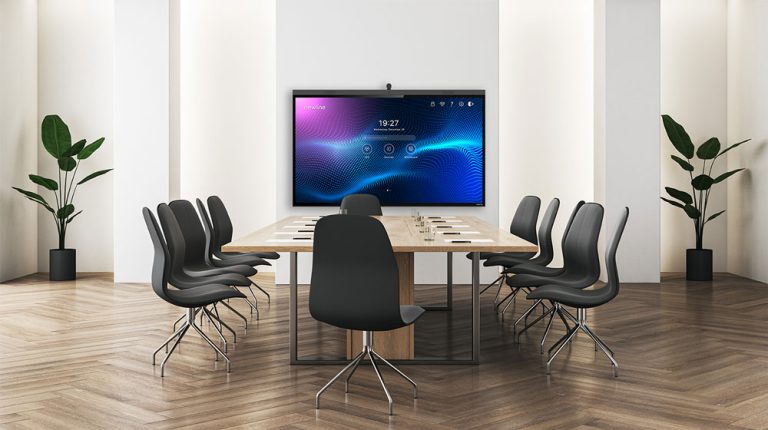
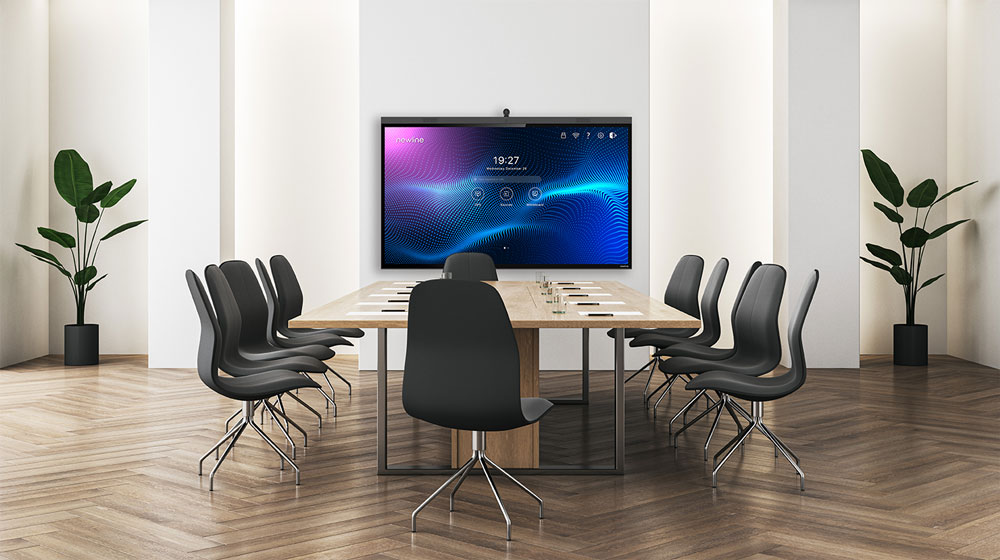
In einem Besprechungsraum hingegen stehen möglicherweise die klare Vermittlung von Informationen, eine bessere Zusammenarbeit zwischen den Teilnehmenden und die Vernetzung von Teams an unterschiedlichen Standorten im Vordergrund.
Vor der Auswahl eines interaktiven Displays sollten daher folgende Fragen berücksichtigt werden:
- Wo soll das Display installiert werden?
- Wer wird es regelmäßig nutzen?
- Welche Arten von Inhalten sollen darauf angezeigt werden?
- Wird es hauptsächlich für Unterricht, Präsentationen, Zusammenarbeit oder Videokonferenzen genutzt?
- Welche Anschlüsse und Geräte müssen integriert werden?
- Wie selbstständig sollen die Nutzer das Display bedienen können?
Die Beantwortung dieser Fragen hilft dabei, eine Lösung zu finden, die optimal zu den Anforderungen des jeweiligen Projekts passt.
Newline Lyra Pro: Eine intuitive Lösung für Unterricht und Zusammenarbeit
Newline Lyra Pro ist eine umfassende und vielseitige interaktive Lösung, die sich insbesondere für Schulen, Bildungseinrichtungen, Universitäten und Organisationen eignet, die ein intuitives Werkzeug für den Austausch von Ideen und die Zusammenarbeit suchen.
Dank der benutzerfreundlichen Oberfläche können Nutzer schnell loslegen. Dies verkürzt die Einarbeitungszeit und erleichtert Lehrkräften sowie anderen Nutzern mit unterschiedlicher technischer Erfahrung die Einführung der Technologie.
Mit seinem integrierten Android-Betriebssystem und der EDLA-Zertifizierung bietet Lyra Pro eine vertraute und flexible Umgebung, die für die Anwendungen und Werkzeuge ausgelegt ist, die in vielen Bildungseinrichtungen und Organisationen täglich zum Einsatz kommen.
Der interaktive Touchscreen ermöglicht es den Nutzern, direkt auf unterschiedlichen Inhalten zu schreiben, Anmerkungen hinzuzufügen und mit ihnen zu arbeiten. Dadurch wird eine aktivere Beteiligung gefördert. Die umfassenden Anschlussmöglichkeiten erleichtern zudem die Integration von Computern und anderen Geräten und sorgen dafür, dass die Räume übersichtlich und für unterschiedliche Arbeits- und Lernszenarien vorbereitet bleiben.
Zu den wichtigsten Vorteilen gehören:
- Eine einfache und intuitive Nutzererfahrung
- Werkzeuge zum Schreiben, Präsentieren und Zusammenarbeiten
- Eine EDLA-zertifizierte Android-Umgebung
- 8 GB RAM und 128 GB Speicherplatz
- USB-C-Konnektivität für Bildübertragung, Touch-Steuerung und das Laden angeschlossener Geräte mit bis zu 65 W
- Kompatibilität mit dem Newline Software-Ökosystem
- Verschiedene Größen für unterschiedliche räumliche Anforderungen
Mit Lyra Pro bleibt der Fokus auf dem Unterricht, der Präsentation oder der jeweiligen Aktivität – und nicht auf der Bedienung der Technologie.
Newline Vega Pro: Professionelle Zusammenarbeit für produktivere Meetings
Newline Vega Pro wurde für professionelle Umgebungen entwickelt, in denen die Kommunikation verbessert und Meetings agiler, visueller und interaktiver gestaltet werden sollen.
In Besprechungsräumen, kollaborativen Arbeitsbereichen und Unternehmensumgebungen hilft eine zentrale Oberfläche zum Präsentieren von Informationen, Austauschen von Ideen und direkten Bearbeiten von Inhalten dabei, Unterbrechungen zu reduzieren und dynamischere Entscheidungsprozesse zu fördern.
Vega Pro stellt Informationen klar dar und bietet eine interaktive Nutzererfahrung, durch die sich die Teilnehmenden aktiv in jede Sitzung einbringen können. Teams können Projekte präsentieren, Anmerkungen hinzufügen, gemeinsam Ideen entwickeln und Inhalte auf natürliche Weise teilen.
Die Lösung eignet sich insbesondere für:
- Besprechungsräume und kollaborative Arbeitsbereiche
- Vertriebspräsentationen
- Projektplanungs- und Review-Sitzungen
- Hybride Meetings
- Interne Schulungen
- Workshops und Teamaktivitäten
Indem Vega Pro Präsentation, Interaktion und Zusammenarbeit in einem einzigen Gerät vereint, trägt es dazu bei, funktionalere Arbeitsbereiche zu schaffen, die den heutigen Anforderungen an die professionelle Kommunikation gerecht werden.
Mehr als technische Spezifikationen: Technologie, die sich an ihre Nutzer anpasst
Ein interaktives Display bietet dann einen echten Mehrwert, wenn es sich nahtlos in den Arbeitsalltag integrieren lässt. Deshalb können Faktoren wie Benutzerfreundlichkeit, Konnektivität und verfügbare Software ebenso wichtig sein wie Auflösung, Bildschirmgröße oder Rechenleistung.
Sowohl Lyra Pro als auch Vega Pro sind Teil des Newline Ökosystems und wurden entwickelt, um eine einfachere Zusammenarbeit zu ermöglichen. Die Softwarelösungen von Newline erweitern die Funktionen der Displays und ermöglichen es den Nutzern, zu schreiben, Inhalte zu teilen, Geräte zu verwalten und interaktivere Sitzungen durchzuführen.
Das Ergebnis ist eine Technologie, die von den Nutzern keine grundlegende Veränderung ihrer Arbeitsweise verlangt, sondern ihnen dabei hilft, diese zu verbessern.
Lyra Pro oder Vega Pro?
Die richtige Wahl hängt vom jeweiligen Raum und den Zielen des Projekts ab.
Lyra Pro ist eine ausgezeichnete Lösung für Bildungseinrichtungen, Schulungsräume und Organisationen, die ein vielseitiges und intuitives interaktives Display für den täglichen Einsatz benötigen.
Vega Pro eignet sich besonders für professionelle Umgebungen, die ihre Meetings, Präsentationen und kollaborativen Aktivitäten verbessern möchten.
Das Ziel besteht nicht darin, das Display mit der längsten Funktionsliste auszuwählen, sondern die Lösung, die den jeweiligen Raum optimal nutzt und von Beginn an eine effektive Nutzererfahrung bietet.
Zwei Lösungen, mit denen Sie Ihre Ziele erreichen
Jedes Klassenzimmer, jeder Besprechungsraum und jede kollaborative Umgebung stellt eigene Anforderungen. Die Wahl der richtigen Technologie kann Arbeitsabläufe vereinfachen, die Beteiligung erhöhen und den Wert Ihrer Investition maximieren.
Mit Newline Lyra Pro und Newline Vega Pro erhalten Organisationen Zugang zu zuverlässigen, umfassenden und benutzerfreundlichen Lösungen, die unterschiedliche Formen des Lehrens, Kommunizierens und Zusammenarbeitens unterstützen.
Erzählen Sie uns von Ihren räumlichen Gegebenheiten und davon, was Sie erreichen möchten. Das Newline Team hilft Ihnen dabei, die interaktive Lösung zu finden, die den Anforderungen Ihres Projekts am besten entspricht.